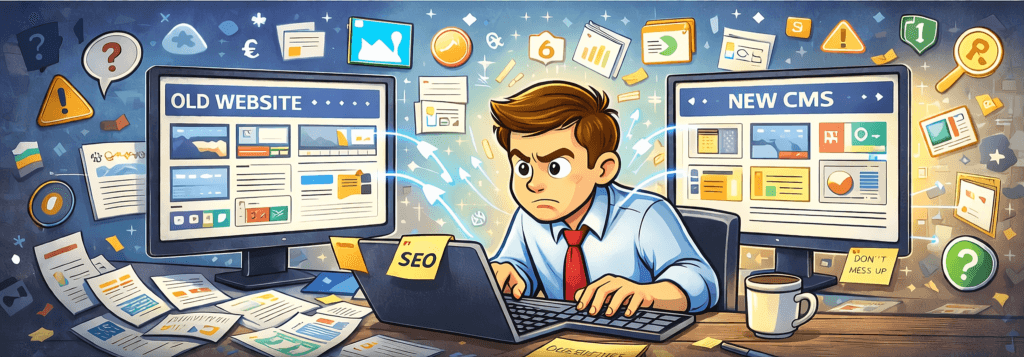
CMS migration is the process of moving a website’s content, structure, and functionality from one content management system to another. It sounds straightforward. In practice it is one of the most technically demanding projects a website owner can undertake — and one of the most commonly underestimated. Done well, a CMS migration results in a faster, more secure, more manageable site with preserved or improved search rankings. Done poorly, it results in broken URLs, lost content, collapsed SEO equity, and months of remedial work.
This guide explains what CMS migration actually involves, when it makes sense to do it, and what separates a migration that goes well from one that doesn’t.
Why Organisations Undertake CMS Migration
The reasons are varied but tend to cluster around a few common themes.
The existing platform has become unmanageable. Legacy systems accumulate technical debt. Plugins stop being maintained. Themes become incompatible with modern PHP versions. The organisation finds itself spending more on maintenance and firefighting than on development. At a certain point the cost of staying becomes higher than the cost of moving.
The platform no longer fits the organisation’s needs. A site that began as a simple brochure may have grown into a complex multi-author publishing operation, an e-commerce platform, or a members-only resource. The original CMS was chosen for what the site was, not what it became.
Security concerns. Older platforms — particularly those running abandoned themes or unmaintained plugins — present an expanding attack surface. A CMS migration to a well-maintained, actively developed platform reduces that exposure significantly.
Performance and Core Web Vitals. Search ranking now depends in part on measurable page performance metrics. Some platforms are architecturally better suited to meeting those standards than others.
What CMS Migration Actually Involves
The term covers a range of distinct activities that all need to happen in the right order.
Content audit and inventory. Before anything moves, you need to know exactly what exists. This means cataloguing every page, post, image, document, and media file — along with its URL, its metadata, and its current search ranking position. Skipping this step means discovering halfway through the migration that you’ve missed entire content sections.
URL mapping. Every existing URL that has search value needs to be mapped to its destination. Where a URL structure changes — as it almost always does in a platform migration — 301 redirects must be configured to preserve the link equity that has accumulated at the old addresses. A URL that returns a 404 loses all its ranking history instantly.
Content migration. The actual transfer of content can be automated to varying degrees depending on the platforms involved. Automated migration handles volume efficiently but almost always requires manual review and correction — formatting inconsistencies, broken internal links, incorrectly imported media, and missing metadata are common outputs of automated tools.
Template and design reconstruction. Unless the new platform supports a direct theme import (which is rare between different CMS platforms), the visual design must be rebuilt for the new environment. This is an opportunity to modernise the design, but it adds to the project scope and timeline.
Functionality migration. Forms, search, user registration, e-commerce, custom post types, API integrations — anything the old site did functionally needs to be replicated or replaced on the new platform. Third-party integrations in particular require careful mapping before the migration begins.
Testing. A thorough pre-launch testing phase should cover every URL in the inventory, every form submission path, every redirect, every piece of dynamic functionality, and every integration. Testing on mobile and across multiple browsers is not optional.
Launch and post-launch monitoring. The launch itself is a controlled event, not a switch-flip. Post-launch, Google Search Console should be monitored closely for crawl errors, and analytics compared against baseline to catch any unexpected drops in traffic or ranking.
The SEO Risks of a Poorly Managed CMS Migration
Search engine optimisation is where most migrations cause lasting damage — and where the consequences take longest to become visible, which makes them harder to attribute correctly.
The core risk is link equity loss. Every page that has accumulated inbound links, internal authority, and ranking history carries value that lives at its URL. If that URL is not correctly redirected to its equivalent on the new platform, that value evaporates. A site with hundreds of indexed pages can lose a significant proportion of its organic traffic within weeks of a poorly managed migration — not because the new content is worse, but because the signals that told Google to rank the old content have been severed.
Secondary risks include incorrect canonical tags, missing or duplicated metadata, broken structured data markup, and sitemap inconsistencies that cause Google to misunderstand the site’s new structure. Each of these is individually manageable; collectively, if unaddressed, they can suppress rankings for months.
How to Approach CMS Migration — What Works and What Doesn’t
The single most important principle is to treat the migration as a project with a defined scope, timeline, and testing protocol — not as a background task running alongside normal operations.
Trying to migrate incrementally, section by section, while the existing site remains live, creates a prolonged period of inconsistency that confuses both users and search engines. A clean migration with a defined launch date — preceded by thorough preparation and followed by immediate monitoring — consistently produces better outcomes than a drawn-out partial approach.
Equally important is resisting the temptation to combine the migration with a simultaneous redesign, rebrand, and content overhaul. Each of those is a significant project in its own right. Combining them multiplies the variables and makes it extremely difficult to diagnose problems when they arise. Migrate first, then improve.
The organisations that get CMS migration right tend to be the ones that start the content audit earlier than feels necessary, build the redirect map before touching the new platform, and invest adequately in post-launch monitoring rather than treating the launch as the end of the project.
Which CMS Is the Right Destination?
The most honest answer is that it depends on what the organisation actually needs — and that the question deserves proper analysis rather than a default answer. WordPress powers a substantial proportion of the web for good reasons: it is mature, flexible, extensively documented, and supported by a large ecosystem of developers and tools. For most content-led websites it remains the most practical choice.
For specific use cases — complex e-commerce at scale, headless architectures for performance-critical applications, tightly regulated environments with specific security requirements — other platforms may be more appropriate. The evaluation should be led by the functional requirements of the site, not by platform familiarity or commercial relationships.
What should not drive the decision is the path of least resistance. Migrating to the wrong platform because it seemed easier at the time tends to result in a second migration within three to five years.
—
Web Inclusion manages CMS migrations for organisations where search visibility, data integrity, and continuity of service are non-negotiable requirements. If you are planning a platform move and want to understand the full scope of what is involved, we are glad to help you think it through before any commitments are made.